For tattoo artists and studios
Tattoo placement previews for artists and studios
Help clients show where they want their tattoo. With Tatship, they can preview artwork on their own photo, explore size and placement, and send you an image to discuss before the appointment. You guide the final design and placement.
See current plans and pricing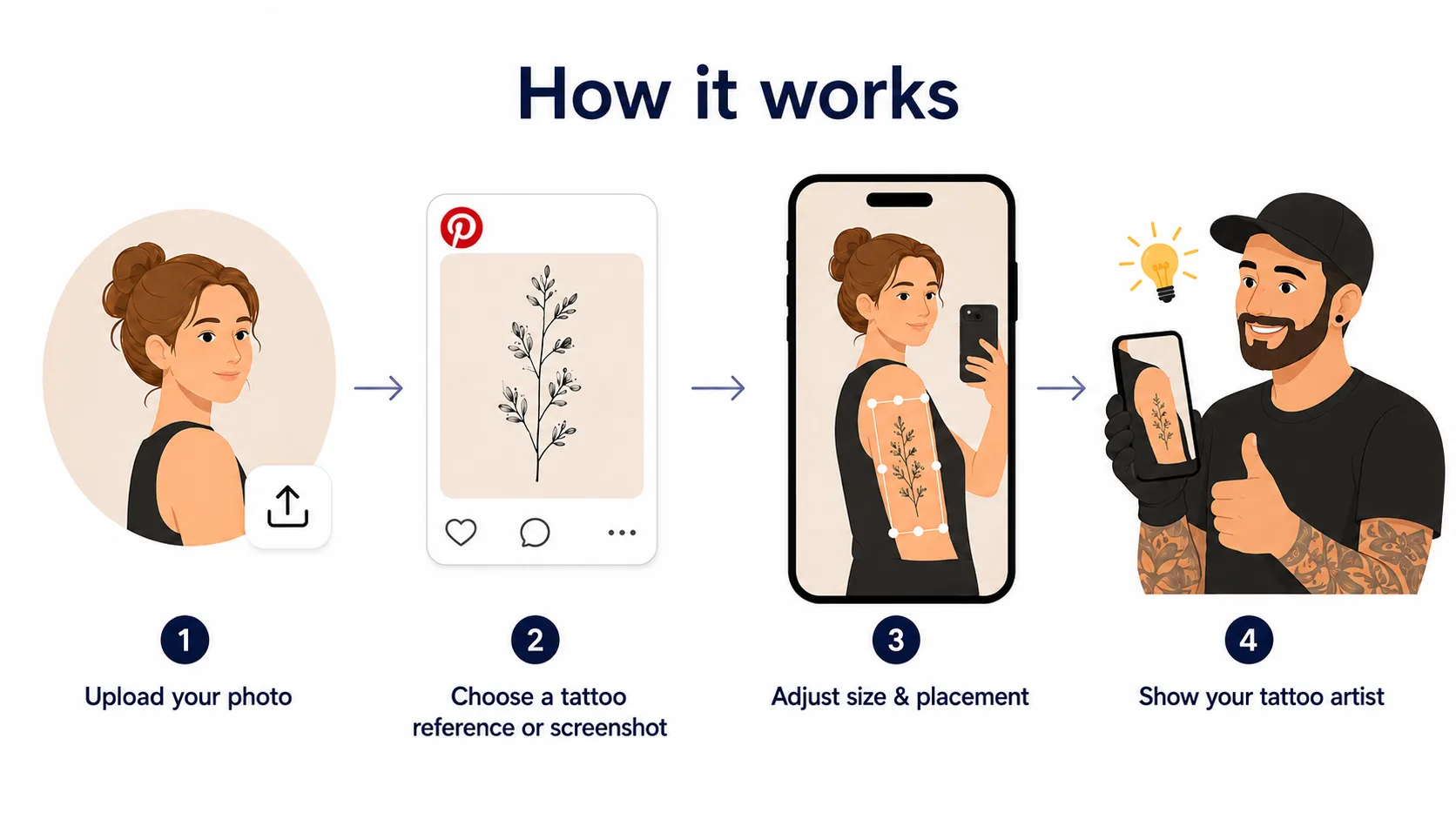
How it works
From a tattoo idea to a clearer consultation
Choose artwork and a body photo
Use your own artwork or a reference you have permission to use, together with a clear photo of the intended placement area.
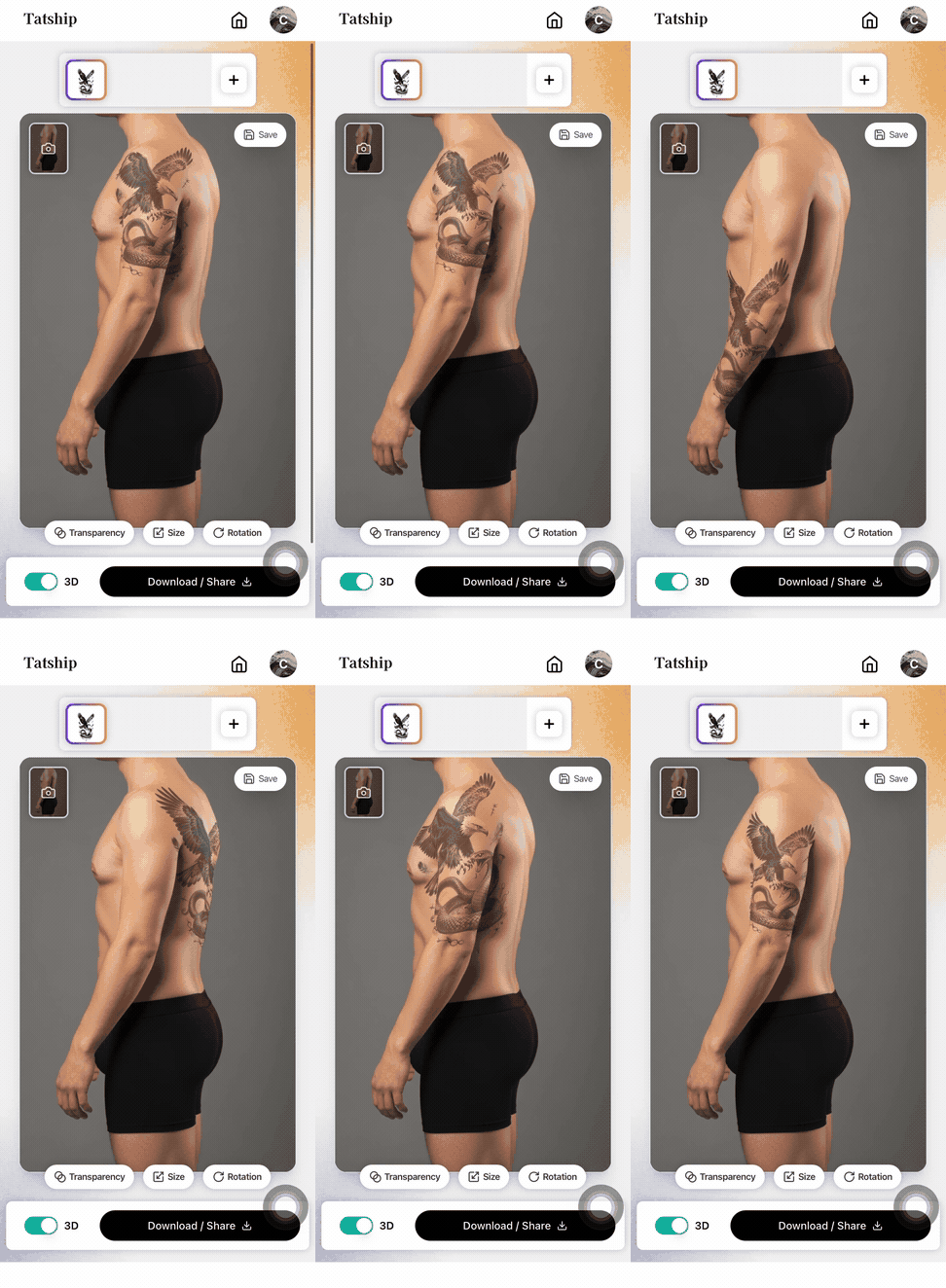
Explore size and placement
Compare how the reference looks at different sizes and positions on the photo. Use it to discuss preferences before the appointment.
Export and discuss the preview
Send the exported image through your usual email or booking conversation. The artist reviews the design and confirms what will work on the body.
A preview is a visual reference. Confirm dimensions, body fit, and the final stencil with the client in person.
Try tattoo placement

Studios already using it
See a studio website example
Visit the tattoo try-on page on the Steel N Ink website to see how a studio presents previews to its clients.
See the studio example
FAQ
Questions artists ask
Can I preview my own tattoo artwork?
Yes. Use your own artwork or a reference you have permission to use, then preview it on a body photo. You can start with a flash design, sketch, or other tattoo reference.
Does a preview confirm the final tattoo size and placement?
No. A photo preview helps communicate a preference; it is not an exact measurement or a guarantee of the healed result. The artist should confirm dimensions, anatomy, and stencil placement in person.
How do clients share a tattoo preview?
Clients export the preview as an image and send it through the channel you already use, such as email or your booking conversation. This workflow does not require a shared workspace.
What does Tatship cost?
The current plans, prices, and included usage are listed on the pricing page. Contact us separately to discuss setup for a studio website.
See current plans and pricingCan I add tattoo try-on to my studio website?
Contact Tatship to discuss your website and setup requirements. You can explore the regular try-on tool before enquiring; opening it does not submit a studio application.
Email us about studio setupArtist workflow guides (English)
Start with one tattoo preview
Open the try-on tool to explore the workflow. For help with a studio website, email our team.